Build What You Need. Stop Paying for What You Don’t.
We spend a lot of time adapting to software, switching between applications, working around awkward interfaces and paying recurring subscription fees for tools that may do far more than we need. But what if we could build some of those tools ourselves? As part of our fall and winter programming, we’re putting practical digital skills into action by identifying everyday frustrations, testing ideas and making our own software.
This simple project started with a familiar problem: taking notes while listening to a recorded meeting. Instead of signing up for another service, we decided to see what we could build ourselves. A little over an hour later, we had a working audio note-taking prototype. It isn’t a finished product, and it was never intended to be. It’s a practical demonstration of how developing digital skills can help us solve problems, save money and become less dependent on subscription-based software.
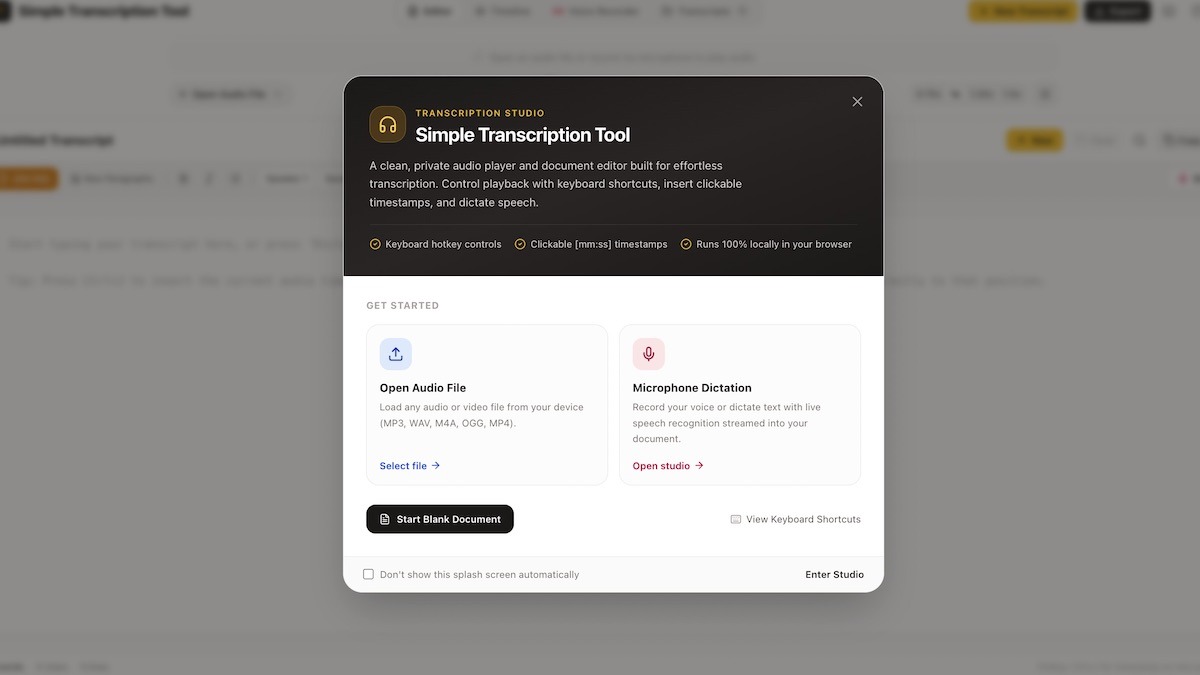
This week, we explored building a simple transcription tool.
Making Our Own Tools
Transcribing a meeting can mean juggling an audio player, a notes document and a recorder across several windows. Pausing to find a sentence, rewinding a few seconds or recording a timestamp can interrupt concentration. We wanted a simple workspace that brought audio playback and note-taking together without unnecessary distractions or recurring fees.
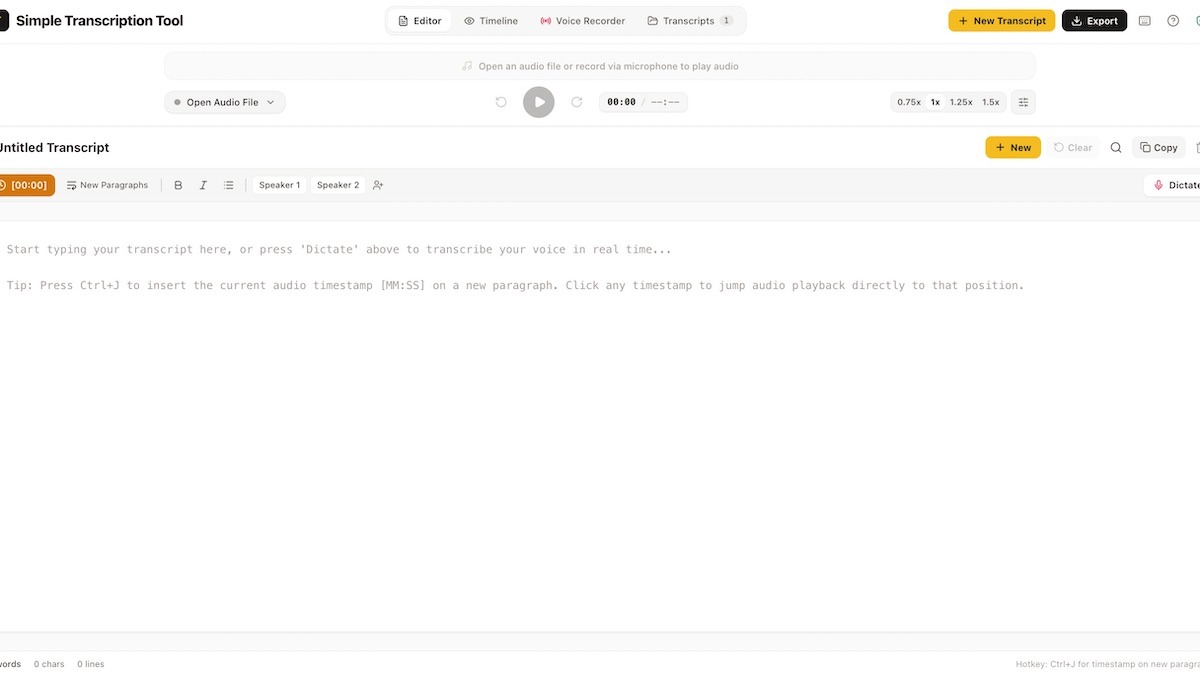
The prototype places an audio player above a writing area and uses keyboard shortcuts for common tasks. Users can play or pause audio, skip backwards in five-second intervals and insert timestamps without repeatedly reaching for the mouse. It also includes variable playback speeds, A-B repeat looping, a live microphone mode using browser-based speech recognition, an interactive timeline and exports to Markdown, plain text, subtitle formats and printer-friendly documents.
These features are not the point in themselves. The important part is that we identified a problem, developed a possible solution and built something we can test. Rather than automatically accepting another subscription as the answer, we explored what we could accomplish with the skills and tools available to us.
Saving Money Through Digital Self-Reliance
Software subscriptions can make useful tools accessible, but recurring fees also add up. They can create ongoing dependencies on particular companies, pricing structures, account requirements and product decisions. For individuals, community organisations and small creative projects, those costs and dependencies deserve consideration.
Building our own software offers another option. A small application designed around a specific task may not need the extensive features of a commercial platform. Developing the skills to create, adapt and maintain such tools can reduce the need to pay for services that exceed our actual requirements.
Of course, building software isn’t automatically free. Development takes time, and applications may still involve hosting, maintenance, security, accessibility and ongoing technical costs. Nor will every tool be practical to replace. The value lies in being able to assess our options and make informed decisions rather than assuming that every problem requires another paid service.
Digital Skills Are Practical Skills
This is the approach we’re bringing into our fall and winter programming. Digital literacy isn’t limited to learning how to operate existing applications. It can also involve understanding how software works, identifying a problem, designing an interface, writing code, testing an idea and improving it through use.
Small projects make those skills tangible. They connect creative thinking with technical problem-solving and give people an opportunity to experiment without expecting every first attempt to be perfect. The result might become a useful tool, lead to a better idea or simply teach us something worth applying to the next project.
The meeting note-taker is an example of that process. We spent a little over an hour developing a working prototype, not trying to compete with established software companies. We wanted to see what was possible and demonstrate that we can make purposeful tools for ourselves.
Should We Keep Building It?
Most of all, this is about having fun, trying things out and seeing what happens. Learning through play gives us permission to experiment, make mistakes, follow unexpected ideas and figure things out as we go. We don’t need a perfect plan or a finished product to get something out of the process. A small software project like this can become a creative challenge. It can just be an enjoyable way to spend an afternoon making something that didn’t exist before. Either way, we learn by doing, and the freedom to experiment is part of what makes it worthwhile.
This prototype is a starting point, and we’d like your input before deciding what comes next. Would you use a tool like this? Should we continue developing it, add features, simplify the interface or take the idea in another direction? Are there other everyday tasks where a small, self-built application could save time or reduce software costs? Click here to try it out!
Send your feedback and suggestions to info@artsincubator.ca. Your responses can help shape the projects we pursue through our fall and winter programming.