How We Had Fun Building a Lightweight and Free Image Editor
As the crisp autumn air settles across the prairies and campuses fill up from coast to coast, the rhythm of our work at the Arts Incubator shifts. During the warmer months, we spend our time immersed in land-based gatherings, community workshops, and open-air projects across Canada. But when fall and winter arrive, notebooks open, lectures start, and our community scatters across universities, colleges, and kitchen tables throughout North America.
To stay connected and keep the creative momentum going, our programming moves online. Every week, we set aside a couple of hours to tackle a small digital sprint—a sandbox where we can pick up new coding tricks, explore interactive design, and fuse the arts with practical tech. We don’t aim for corporate polish or Silicon Valley perfection; we aim for honest curiosity, shared learning, and building things we actually enjoy using.
Our latest afternoon build came straight out of everyday frustration: why has editing a simple photo become such an ordeal?
When “Just Cropping a Photo” Needs to Be Simple Again
We’ve all been there. You have an image on your laptop or phone—maybe a quick snapshot for a class presentation, a crop for a project report, or a photo you want to share with friends. You open a modern design tool or modern photo suite, and immediately you’re greeted by paywalls, mandatory account logins, cloud sync warnings, and cluttered toolbars boasting two thousand buttons you will never touch.
Sometimes, you don’t need an entire design agency in a browser tab. You just need to trim the edges, warm up the colors, scale the dimensions, or drop a quick note onto the canvas.
So on a quiet afternoon, we decided to build our own: a light, distraction-free Simple Image Editor hosted directly on our website.
What It Does (and What It Happily Leaves Out)
Because this was born out of a two-hour creative sprint, we focused purely on what feels good in daily use:
- Instant, In-Browser Privacy: Your pictures never get uploaded to an external server or saved in a remote database. Everything happens locally right inside your own browser window.
- Aspect Ratios for Real Life: One-click cropping presets for Instagram squares, stories, 16:9 banners, classic 4:3, and freeform adjustments.
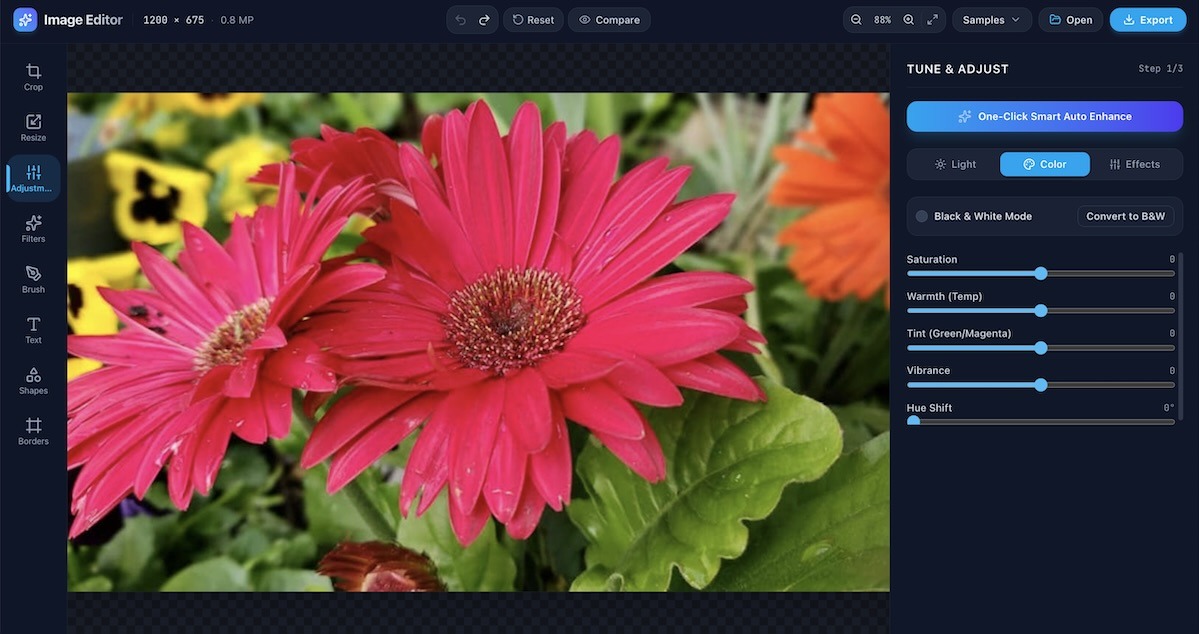
- Quick Tone & Lighting Fixes: Direct, responsive sliders to nudge brightness, contrast, warmth, and saturation without digging through nested menus.
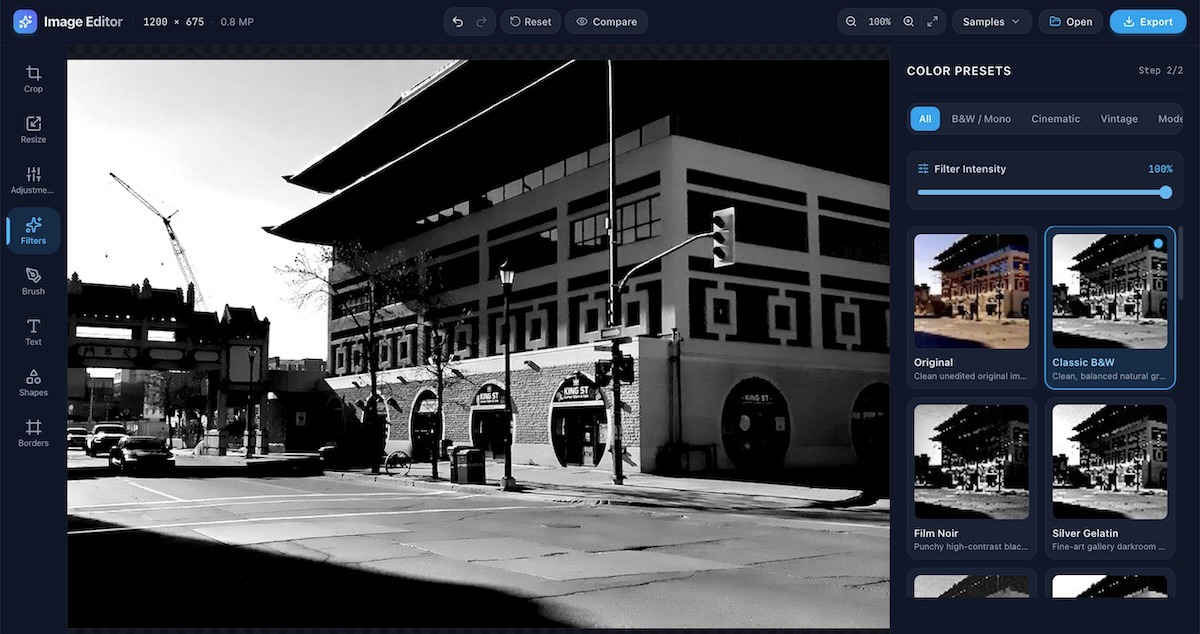
- Visual Atmosphere: A small collection of curated photographic presets—from punchy vintage monochrome to warm golden-hour tones—when you want a quick mood shift.
- Canvas Doodles & Text: Basic brushes, shapes, and typography tools for when you need to annotate a detail or sign your name.
- Real Community Samples: To test it out, we pre-loaded a handful of our favorite neighborhood vistas, including the glowing winter lanterns at Central Park in Winnipeg, Chinatown streetscapes, spring blossoms, and the wide-open expanse of the Yukon mountains.
It loads fast, requires zero sign-in, and lets you export a clean PNG or JPEG the second you’re finished.
Tell Us What You Think: Where Should We Take This?
Building these weekly mini-apps is our way of proving that learning to code isn’t reserved for computer science labs—it’s an extension of artistic expression and everyday community craft.
Now, we’d love to hear your thoughts. Did you try cropping a photo or tweaking an image? Did it do what you needed, or did you find yourself wishing for a specific feature—maybe watermark stamps, custom filters, or batch resizing? Should we keep expanding this editor over the winter months, or pivot our next sprint to a whole new playful tool?
Take it for a spin on our website at artsincubator.ca/image-editor, and send us your thoughts, bug notes, or feature wish lists to info@artsincubator.ca. We want to know what people think, and your ideas might just spark our next weekly build!