Experimenting with audio formats, cover artwork and digital publishing tools for community storytelling projects.
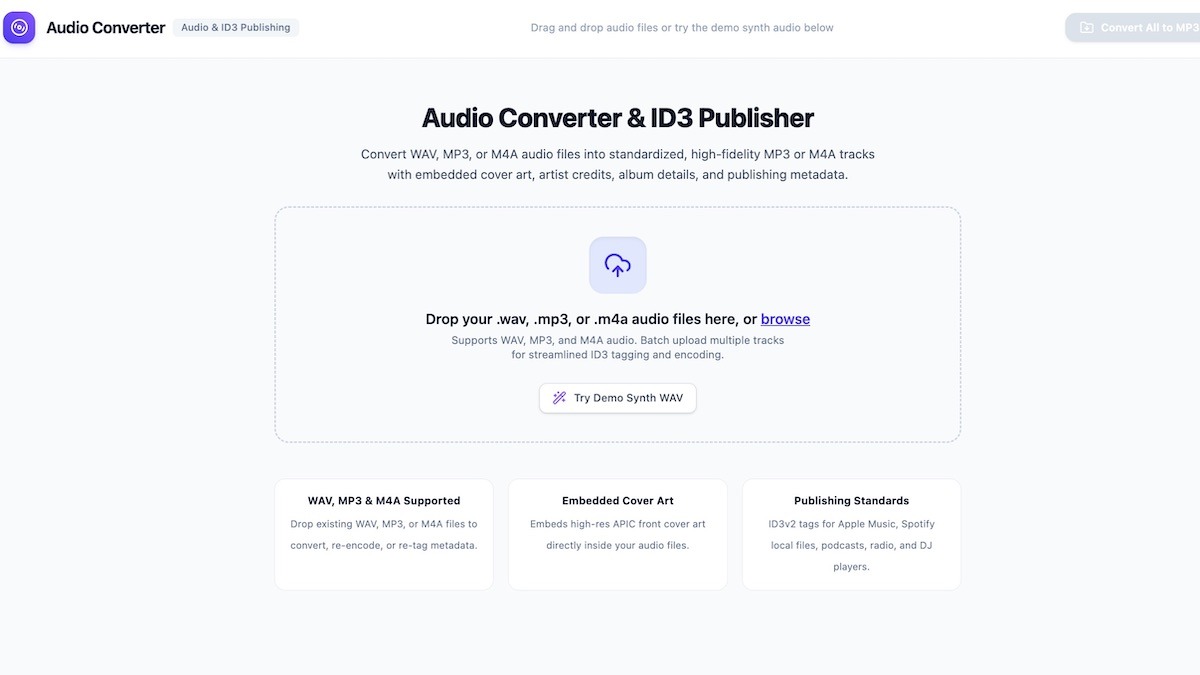
During our Saturday Creative Sessions, we’ve been spending time experimenting with audio, digital storytelling and some of the practical tools that help creative projects make their way into the world. One of the latest projects is a simple Audio Converter.
The idea is straightforward. When you’ve recorded a story, a song, an interview or a collection of spoken-word pieces, you eventually need to turn those recordings into files that are easy to share, distribute and listen to. That can involve converting audio formats, adding artwork, filling in track information and getting everything organized for publishing.
Rather than relying on a collection of separate websites and desktop programs, we put together a browser-based tool that brings many of these tasks into one place.
Audio Converter works directly in the web browser. Recordings can be loaded, listened to, converted and tagged without having to send them off to an external conversion service. That means the original recordings stay on the computer while the application does its work.
The tool supports common audio formats, including WAV, MP3 and M4A. Users can convert recordings into MP3 files with different quality settings, choose between stereo and mono, and prepare audio in formats that are convenient for sharing and distribution.
Experimenting with new ways to work with sound
But converting the file is only part of the job. We also wanted to make it possible to give each recording a proper identity.
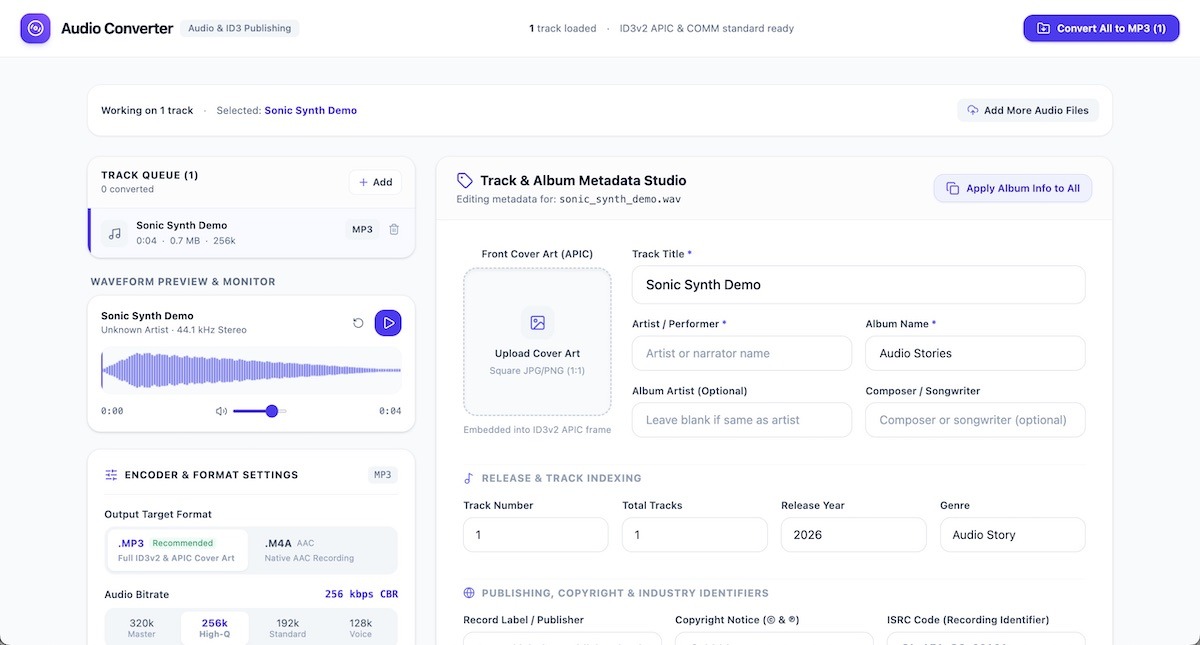
The metadata editor lets users add titles, artist names, album information, composers, release dates, track numbers and genre details. There’s also space for copyright information, publisher details and ISRC codes where those are available. Cover artwork can be added directly to the audio file, so the image travels along with the recording.
For our storytelling projects, the written material matters just as much as the recording. Audio Converter includes space for comments, production notes, show descriptions and full scripts or transcripts. This gives creators a way to keep the story and its accompanying information together rather than scattering everything across different documents.
There’s also a waveform display for listening back to recordings. Users can play and pause, adjust the volume and move through the audio by clicking on different points in the waveform. It’s a useful way to check a recording before preparing the finished version.
We’ve also been thinking about what happens when there isn’t just one recording to prepare. A collection of stories or a small audio anthology might have several tracks with the same artwork, album title and release information. The batch tools allow multiple recordings to be processed together, with shared album details applied across the collection. Finished files can then be downloaded individually or bundled into a ZIP archive.
Like a lot of the things we work on during our creative sessions, this is an experiment in making useful tools ourselves. It brings together a little programming, some audio production, digital literacy and the practical work of getting creative projects ready for an audience.
We have plenty of stories, recordings and other audio ideas to work with. Having a tool that helps us take those recordings from an initial file to something ready to share is a useful addition to the growing collection of things we’re making.
Click here to try it. Let us know what you think!