Exploring design thinking, rapid prototyping, and the joy of making creative tools together.
Every weekend, our community gets together—some of us around a shared table with coffee and sketchbooks, and others chiming in over video calls—to try building something new with code. We aren’t trying to build the next venture-backed software empire; we’re artists, hobbyists, students, and curious neighbours who love taking ideas apart to see how they work.
As part of our ongoing fall and winter programming, our goal for this week’s meetup was simple: could we build our own lightweight painting and drawing program from scratch?
Drawing on a computer is something many of us take for granted. We open an app, swipe a stylus across the glass, and expect lines, watercolor washes, or ink ribbons to appear effortlessly. But digging under the surface to see how coordinates, curves, and layers actually come to life in a browser turned out to be one of our most rewarding rapid-prototyping exercises yet.
Why We Built a Paint App (And What We Learned)
Starting with a completely blank screen is both thrilling and a little humbling. When you begin creating a digital painting canvas, you quickly realize how much artistry goes into mathematics. If you want to try it out, just click here.
A mouse or trackpad doesn’t naturally draw smooth lines; it fires off quick, disconnected coordinate points. To make a digital brush stroke feel fluid and responsive, you have to bridge the gaps between those points with curve algorithms. We spent hours testing stroke weights, smoothing factors, and tip shapes, turning mathematical bezier curves into something that felt expressive and tactile.
Beyond the technical side, this project gave our group a playground for design thinking. We asked ourselves what a welcoming, clutter-free art tool should look like. How can someone who has never touched a digital stylus jump straight in, trace a family photo, experiment with symmetry, and export a piece of artwork they feel proud of?
What the App Can Do: Brushes, Outlines, and Layers
While we kept the interface clean and approachable, we packed in some surprisingly expressive features during our weekend build:
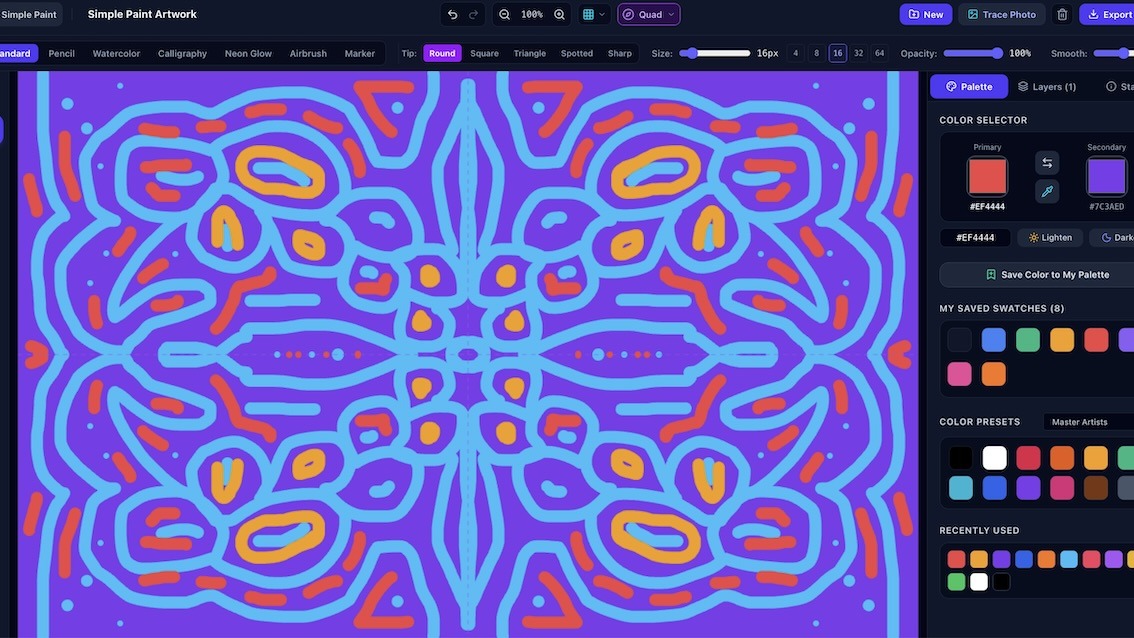
- Expressive Brush Styles: Rather than offering just a single generic line tool, we built distinct rendering engines for standard sketching, graphite pencil, fluid watercolor washes, glowing neon lights, soft airbrush mist, and felt-tip markers.
- Silky Calligraphy & Brush Sub-Types: To avoid choppy ribbon effects, we fine-tuned our calligraphy engine so broad chisel edges and pointed pens turn gracefully with every curve. Artists can switch between round, square chisel, botanical triangle, spotted dry-brush, and sharp hairline tips.
- Custom Stroke Outlines: One of our favourite additions was giving strokes an optional outer contour. You can leave it off for natural washes, or turn on a bold black, white, or colorful outline with adjustable thickness and opacity—perfect for comic inking, stickers, and graphic lettering.
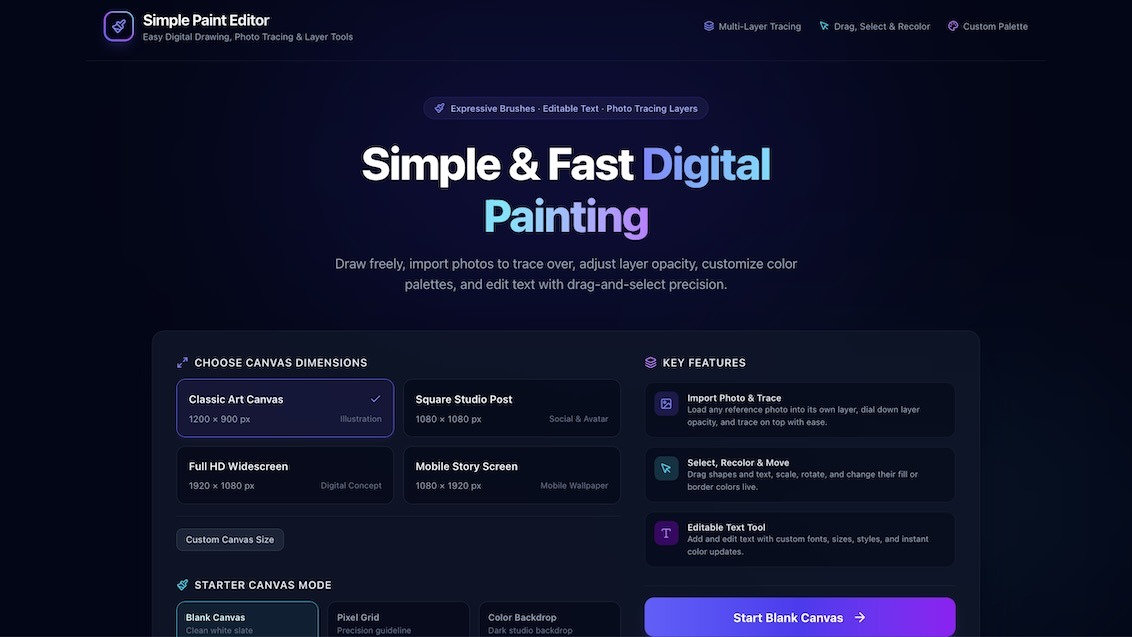
- Multi-Layer Drawing & Photo Tracing: You can drop any photo onto the canvas to start tracing over it, create new layers, adjust individual layer opacities, and experiment with blend modes like Multiply, Screen, and Overlay.
- Instant Symmetry & Mandalas: For quick pattern design and meditative sketching, the top bar includes instant horizontal mirroring, vertical reflection, four-quadrant symmetry, and 8-way mandala modes.
- Shapes, Text, & Undo Freedom: You can drop in editable typography and vector shapes (stars, arrows, callout bubbles), save custom color swatches, and experiment without fear thanks to complete undo and redo history.
A Fun Experiment with the Arts and Community Learning
It is worth mentioning that this project is a learning prototype and a creative playground, not a finished, commercial-grade illustration suite. There are quirky edges and things we are still tweaking, but that’s the beauty of building together in public.
Right now, the workspace is optimized for laptop and desktop screens, but as our winter workshops continue, we’re eager to adapt the layout and touch-responsiveness so folks can sketch just as easily on mobile phones and tablets.
We would love to know what you think of the project! If you try it out, encounter a quirk, or have ideas for brush styles and creative tools we should explore next, please reach out to us or drop us an email at info@artsincubator.ca.