The “Undo” Button for Your Entire Brand Identity
We need to talk about the scariest thing in digital publishing: The Rebrand.
Imagine this: You have spent three years publishing short stories. You have a library of 2,500 unique pieces of content. Each one has a beautiful cover image formatted for Twitter and Facebook, using your signature font (let’s call it “Courier New”) and your signature color (let’s call it “Sad Beige”).
Then, you hire a new Art Director. Or you just wake up one morning and realize you hate Sad Beige. You want “Electric Blue.” And you want a modern sans-serif font.
In the old world, you have two choices:
- The Intern Method: You hire a poor soul to manually open 2,500 Photoshop files, change the font, change the color, save as JPG, and re-upload. (They will quit by day three).
- The “Legacy” Method: You only change the new stuff. Your archive remains a mismatch of old and new styles, making your brand look confused and messy.
We chose option three: We built a time machine.
Designing the Logic, Not the Image
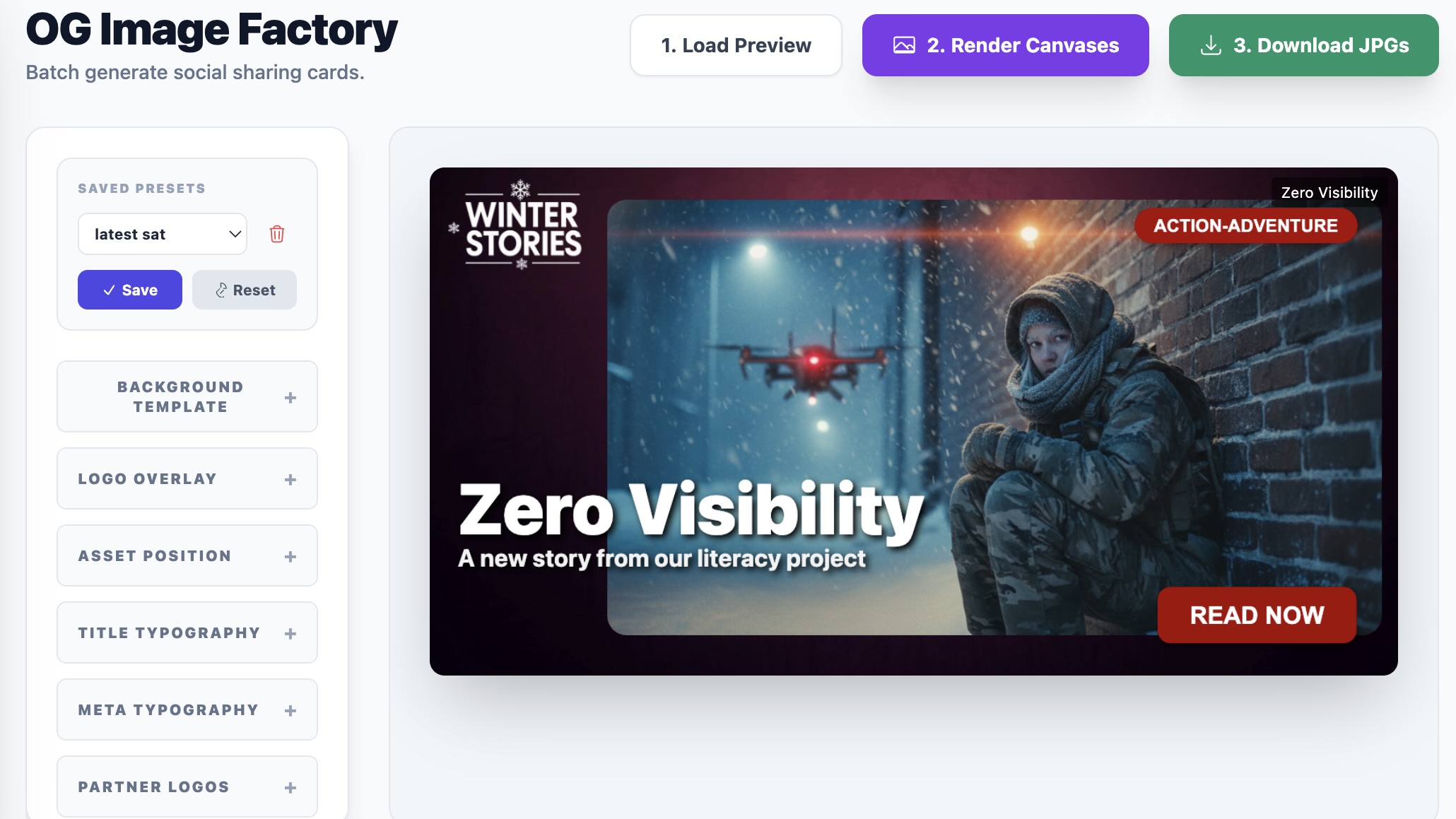
Our “OG Image Factory” changes how we think about graphic design. Instead of designing a static image, we design a dynamic system.
We don’t tell the computer: “Make this specific image look like this.”
We tell the computer: “Here are the rules for how our brand looks right now.”
- Rule 1: The Title goes at X: 600, Y: 315.
- Rule 2: The Title font is ‘Inter’, size 60px, uppercase.
- Rule 3: The logo sits in the bottom left.
- Rule 4: If the background is dark, turn the text white.
We built a visual dashboard where we can tweak these rules. We can slide the logo around, change the fonts, and swap the color palette. We can see a live preview of how it looks on one chapter.
The Power of “Generate All”
Here is the superpower.
If we decide tomorrow that we want to change our entire visual identity to 80s Neon Synthwave, we don’t have to edit thousands of files.
- We open the Factory.
- We change the font to “Lazer 84”.
- We change the accent color to Hot Pink.
- We hit “Process All.”
The system wakes up. It systematically walks through our entire database, chapter by chapter. It takes the original artwork for Chapter 1, applies the new “Neon” rules, generates the file, and saves it. Then it does Chapter 2. Then Chapter 3.
It handles the batching automatically (doing 20 at a time so it doesn’t crash the browser—we taught it patience, but we can do more than that if we want to!).
Why This is the Future of Content
For artists and communicators, this solves the “Maintenance Burden.”
Usually, the more content you create, the heavier your “maintenance debt” becomes. You become afraid to innovate or update your look because the sheer weight of your back catalog anchors you to the past.
By automating the generation of these assets, we sever that anchor. We remain agile. We can be a small team with the output capacity of a major publisher.
We treat our social media images not as permanent stone tablets, but as fluid software that can evolve as fast as our taste does.